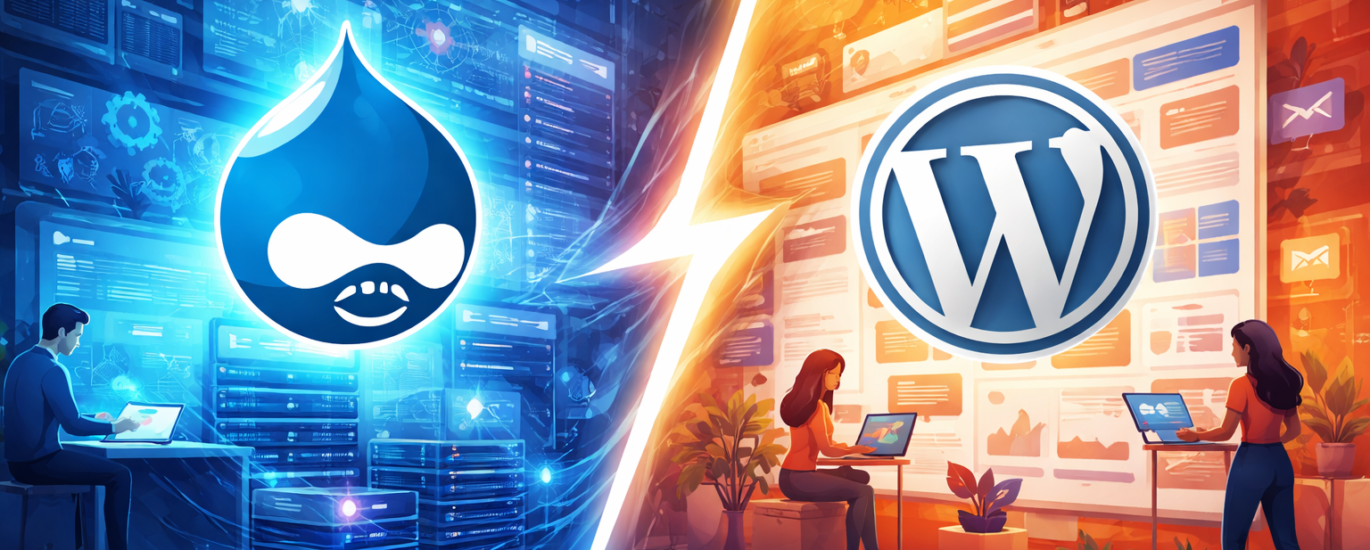
For years, Drupal has been the go-to CMS for complex, enterprise-grade websites. It’s powerful, flexible, and—let’s be honest—sometimes feels like it requires a minor in computer science just to publish a blog post.
On the other side, WordPress has evolved from a blogging platform into a full-fledged CMS powering a significant portion of the web. It’s easier to use, faster to deploy, and backed by a massive ecosystem.
So why are many businesses considering (or already executing) a migration from Drupal to WordPress? Let’s break it down—technically, operationally, and from a business perspective.
1. Lower Total Cost of Ownership
At first glance, Drupal and WordPress can appear similar in terms of cost. Both are open-source, both are flexible, and both can power anything from a small website to a large digital platform.
But the real difference emerges over time.
Drupal projects tend to accumulate cost through complexity. Building and maintaining a Drupal website typically requires experienced developers who understand its architecture, configuration layers, and deployment processes. Even relatively simple changes—like adjusting layouts, adding new sections, or modifying functionality—often involve development effort.
This has a compounding effect:
- longer development cycles
- higher hourly rates
- ongoing reliance on technical specialists
WordPress operates differently. Its ecosystem is designed to reduce friction—not just for developers, but for the entire team. Many tasks that require custom development in Drupal can be handled through existing plugins, themes, or built-in features in WordPress.
As a result:
- initial development is faster
- maintenance is simpler
- fewer tasks require developer involvement
From a business perspective, this shifts how resources are allocated. Instead of investing heavily in maintaining the system itself, companies can redirect budget toward growth activities—content creation, marketing campaigns, SEO, and user acquisition.
For website owners, this means better control over costs. For marketers, it means fewer bottlenecks. For developers, it means focusing on high-value work instead of routine changes.
In practice, migrating to WordPress is not just a technical decision—it’s a financial one. Over time, the reduction in operational overhead can significantly improve the return on investment of your website.
2. Faster Time to Market
Speed has become a competitive factor—not just in product development, but in how quickly a business can communicate, test ideas, and respond to market changes.
Drupal is exceptionally capable when building complex systems. But that capability comes with process. Even relatively small updates often pass through a structured workflow: development, staging, review, deployment. This is valuable in large, regulated environments—but for many businesses, it slows down execution.
In practice, this means:
- launching a new landing page may require developer involvement
- updating layouts or components can take days instead of hours
- marketing campaigns depend on technical availability
WordPress reduces this friction.
Its ecosystem is designed to support rapid iteration. With visual editors and flexible themes, teams can:
- create and publish pages independently
- test variations without full development cycles
- update content in real time
For marketers, this changes how work gets done. Campaigns can be launched when needed—not when the development queue allows it. A/B tests can be implemented quickly. Messaging can evolve based on performance data, not assumptions.
For business owners, faster execution translates directly into opportunity:
- quicker validation of ideas
- shorter feedback loops
- ability to react to competitors and trends
Developers also benefit. Instead of handling routine updates and layout tweaks, they can focus on more complex, high-impact tasks—integrations, performance optimization, and custom functionality.
In a landscape where timing often determines success, the ability to move quickly is not just a convenience—it’s an advantage.
Business Impact by Role
Migration decisions are rarely technical alone. Different stakeholders experience different benefits.
Here’s how WordPress compares across roles:
| Role | Drupal Experience | WordPress Experience | Business Impact |
|---|---|---|---|
| Website Owner | High cost, slower updates | Lower cost, faster execution | Better ROI and flexibility |
| Content Writer | Complex interface | Intuitive editor | Higher productivity |
| Marketer | Dependent on dev team | Independent execution | Faster campaigns |
| Developer | Complex architecture | Faster builds, large ecosystem | Higher efficiency |
| SEO Specialist | Technical barriers | Easy optimization tools | Better performance |
3. Content Management Without Friction
Content is at the core of most modern websites. Whether it’s landing pages, blog articles, product descriptions, or campaign materials—your ability to create and update content efficiently directly impacts performance.
Drupal approaches content management with a strong emphasis on structure. Its system of content types, fields, and taxonomies is powerful and highly flexible. However, this flexibility often comes at the cost of usability.
For non-technical users, the experience can feel fragmented:
- multiple fields with unclear purpose
- limited visual feedback during editing
- dependency on predefined structures
Even simple tasks—like updating a page or adjusting content layout—can require guidance or technical support.
WordPress takes a different approach. It prioritizes editor experience and accessibility.
With modern tools like the block editor (Gutenberg) or visual page builders, users can:
- edit content directly on the page
- structure layouts visually
- make changes without understanding the underlying system
This reduces the learning curve significantly. Teams can start working productively with minimal onboarding.
From a business perspective, this has tangible effects.
Content teams can publish faster and more consistently. Marketers can adjust messaging without delays. The overall dependency on developers decreases—not because the system is less powerful, but because it is more usable.
Over time, this leads to higher content velocity, more frequent updates, and better alignment between strategy and execution.
Because in practice, the value of a CMS is not defined by what it can do—but by what your team is actually able to do with it.
4. Ecosystem and Extensibility
One of the most practical differences between Drupal and WordPress becomes visible not in core functionality—but in how easily you can extend it.
Drupal offers a robust system of modules, and in the right hands, it can support almost any requirement. However, extending Drupal often involves configuration complexity or custom development. Even when a module exists, it may require additional setup, compatibility checks, or developer involvement to make it work as expected.
WordPress, by contrast, is built around accessibility at scale. Its plugin ecosystem is not only larger, but also more standardized and easier to adopt. Most common business needs—SEO optimization, analytics integration, lead capture, performance tuning—can be implemented quickly, often without writing code.
This difference changes how teams operate.
In a Drupal environment, adding new functionality is typically a planned task. It goes through evaluation, development, and testing cycles. In WordPress, many of these decisions can be executed directly by marketers or content managers, which shortens the path from idea to implementation.
From a business standpoint, this translates into flexibility. New tools can be tested without committing significant development resources. Integrations with CRM systems, marketing platforms, or analytics tools can be deployed faster, allowing teams to iterate and adapt without friction.
Developers still play an important role, but their focus shifts. Instead of building everything from scratch, they can concentrate on customization, performance, and architecture—areas where their expertise delivers the most value.
In the end, extensibility is not just about what a system is capable of. It’s about how quickly and efficiently those capabilities can be activated when the business needs them.
5. SEO and Marketing Control
Both Drupal and WordPress are fully capable of supporting strong SEO. The difference is not in capability—but in accessibility.
In Drupal, implementing SEO best practices often requires configuration and technical understanding. Metadata, URL structures, redirects, and structured data are all possible, but they are not always immediately accessible to non-technical users. As a result, SEO work can become dependent on developers or delayed by technical workflows.
WordPress brings these controls closer to the people who actually use them.
With widely adopted SEO plugins, marketers can manage titles, descriptions, canonical tags, and sitemaps directly within the interface. Changes can be made quickly, tested, and adjusted without going through development cycles. This significantly shortens the feedback loop between analysis and action.
From a marketing perspective, this is critical.
SEO is not a one-time setup—it is an ongoing process of refinement. Pages need to be updated, keywords adjusted, internal links improved, and content expanded based on performance data. When these actions require technical involvement, they tend to happen less frequently. When they are easily accessible, they become part of regular workflow.
This also affects experimentation. In WordPress, teams can test different page structures, optimize content for new queries, or adjust on-page elements with minimal friction. The ability to iterate quickly often leads to better results over time—not because the platform is inherently better for SEO, but because it enables consistent optimization.
For business owners, this translates into more control over organic growth. For marketers, it means independence and speed. And for developers, it reduces the volume of routine SEO-related requests, allowing them to focus on more complex technical improvements.
In practice, the advantage is simple: when SEO tools are easier to use, they get used more often—and that’s what drives results.
6. Talent Availability and Team Scalability
Technology decisions are rarely just about features—they’re about people.
Drupal requires a specific type of expertise. Its architecture, configuration approach, and development workflows demand experienced developers who understand the system deeply. These specialists exist, but they are relatively limited in number, often more expensive, and harder to replace.
This creates a structural dependency. If key team members leave, onboarding new developers can take time. Knowledge transfer becomes critical. Even small changes may need to go through the same limited pool of experts.
WordPress operates in a very different talent environment.
Its global adoption has created a large and diverse ecosystem of developers, designers, marketers, and content specialists. Finding someone who can work with WordPress—whether for development, customization, or content management—is significantly easier.
From a business perspective, this has several implications.
Hiring becomes faster and more flexible. Teams can scale up or down depending on project needs. External partners, freelancers, or agencies can be onboarded without extensive ramp-up time. The risk associated with individual dependencies is reduced.
This also affects internal collaboration. Because WordPress is more accessible, non-technical roles—such as marketers and content managers—can work directly within the system without constant support. This reduces pressure on development teams and improves overall efficiency.
Developers benefit as well. Instead of being tied to routine updates or minor fixes, they can focus on higher-level tasks where their expertise adds the most value.
In the long term, the availability of talent is not just an operational detail—it’s a strategic advantage. A system that is easier to support, scale, and staff allows the business to grow without being constrained by its own technology choices.
7. Marketing Agility and Experimentation
Modern websites are no longer static assets—they are active marketing tools. Pages are constantly updated, campaigns are launched and refined, and messaging evolves based on performance data. In this environment, agility becomes critical.
Drupal, by design, favors structure and control. This works well for stability, but it can slow down experimentation. Changes to layouts, new landing pages, or campaign-specific adjustments often require coordination with developers and adherence to predefined structures.
WordPress enables a more flexible approach. With visual editors and a wide range of tools, marketing teams can create, modify, and test pages with minimal technical involvement. New landing pages can be launched quickly, variations can be tested, and messaging can be adjusted based on real-time insights.
This shift affects how marketing operates. Instead of planning campaigns weeks in advance due to technical constraints, teams can iterate continuously. Ideas can be tested quickly, unsuccessful approaches can be replaced, and successful ones can be scaled.
For business owners, this leads to more efficient use of marketing budgets. Campaigns are optimized faster, and decisions are based on actual performance rather than assumptions.
For marketers, it provides independence and control. They can execute strategies without waiting in development queues, which improves both speed and consistency.
Developers are still essential—but their role changes. Rather than supporting every campaign update, they can focus on building reusable components, improving performance, and integrating systems that enhance long-term capabilities.
In practice, the ability to experiment quickly is not just a convenience. It is one of the key drivers of growth. And the CMS you choose can either enable that process—or slow it down.
When Migration Actually Makes Sense
Not every Drupal website needs to migrate. In many cases, Drupal continues to perform exactly as intended—especially in environments that require complex workflows, strict governance, or highly structured data models. However, there is a clear point where the balance shifts.
Migration starts to make sense when the system no longer supports how the business operates. This often becomes visible not through technical failure, but through friction in everyday work. Content updates take too long. Marketing initiatives depend on development capacity. Costs increase without a corresponding increase in output.
These are not isolated inconveniences—they are signals.
For content-driven websites, where speed, flexibility, and frequent updates are essential, WordPress often provides a better fit. It reduces dependency on technical teams, shortens execution cycles, and allows non-technical roles to take ownership of key processes.
The decision also becomes more relevant when growth is a priority. Expanding into new markets, launching campaigns, or scaling content production requires a system that can adapt quickly. If the current CMS slows this down, it becomes a strategic limitation.
At the same time, migration should not be treated as a shortcut to better performance. It is a structural change that requires planning, resources, and careful execution. URL structures need to be preserved, redirects properly configured, and content migrated without loss.
Done correctly, migration removes friction and creates room for growth. Done poorly, it can introduce new problems without solving existing ones.
Ultimately, the question is not whether Drupal is “good” or “bad.” It is whether it still aligns with the way your business needs to operate today.
Migration Considerations and Risks
Migrating from Drupal to WordPress is not just a technical upgrade—it’s a transformation of how your website operates. And like any transformation, it comes with risks that need to be managed carefully.
One of the most sensitive areas is SEO. Existing URLs, indexing signals, and page authority must be preserved during the transition. Without proper redirects and structure mapping, even a well-designed new site can experience a significant drop in traffic. Search engines don’t automatically “understand” migrations—you have to guide them.
Content migration is another critical aspect. Drupal sites often rely on structured content models, while WordPress typically uses a more flexible approach. Translating this structure without losing meaning, relationships, or consistency requires planning. Otherwise, the result can be a technically successful migration that produces a worse user experience.
There is also the question of functionality. Features that were custom-built in Drupal may not have direct equivalents in WordPress. In some cases, they need to be recreated, simplified, or replaced with plugins. This is not necessarily a disadvantage—but it requires clear prioritization. Not everything needs to be carried over.
From an operational perspective, teams need time to adjust. Even though WordPress is easier to use, workflows will change. Editors, marketers, and developers will interact with the system differently. Without proper onboarding, this transition can slow things down temporarily.
The key is preparation.
A successful migration typically includes:
- a clear content and URL mapping strategy
- a defined SEO preservation plan
- prioritization of essential features
- thorough testing before launch
Migration should not be rushed. When approached strategically, it can remove long-standing bottlenecks and improve performance. When treated as a quick fix, it can introduce new ones.
In the end, the goal is not just to move to a new CMS—but to build a system that better supports how your business works going forward.
Summary: Drupal vs WordPress at a Glance
| Area | Drupal | WordPress | Business Impact |
|---|---|---|---|
| Cost of Ownership | Higher due to complexity and developer reliance | Lower due to ecosystem and ease of use | More budget available for growth initiatives |
| Time to Market | Slower, structured deployment cycles | Faster, real-time publishing and updates | Quicker launches and campaign execution |
| Content Management | Powerful but complex interface | Intuitive, user-friendly editing | Higher content velocity and team productivity |
| Ecosystem | Strong but requires configuration and dev input | Massive plugin ecosystem, easy to extend | Faster implementation of new features |
| SEO Control | Flexible but technical to manage | Accessible via plugins and UI | More frequent and effective optimization |
| Talent Availability | Limited and specialized | широка доступність фахівців globally | Easier hiring and team scalability |
| Marketing Agility | Slower iteration cycles | Rapid testing and deployment | Better campaign performance and adaptability |
| Scalability | Strong for complex systems | Strong for content-driven growth | Depends on project type and priorities |
| Maintenance | Requires ongoing technical support | Easier updates and management | Reduced operational overhead |
| Best Fit | Enterprise, complex workflows | Marketing-driven, content-focused sites | Alignment with business goals |
This comparison highlights a consistent pattern: Drupal excels in complexity and control, while WordPress excels in speed, usability, and accessibility.
For most businesses focused on growth, marketing, and content, those differences are not just technical—they directly affect performance, costs, and results.
To Do or Not To Do
Migrating from Drupal to WordPress is not about choosing a “better” CMS—it’s about choosing a system that aligns with how your business actually operates.
Drupal remains a powerful platform, especially for complex, highly structured projects. But for many organizations, that power comes with overhead: higher costs, slower execution, and stronger dependency on technical teams. Over time, these factors can limit growth rather than support it.
WordPress offers a different model. It prioritizes accessibility, speed, and flexibility. It allows content teams to move faster, marketers to experiment more freely, and businesses to allocate resources toward growth instead of maintenance.
The real advantage is not in features—it’s in usability and momentum.
If your website is primarily a marketing and content engine, the ability to iterate quickly, publish consistently, and adapt without friction becomes more valuable than architectural complexity.
And ultimately, that’s what migration is about: removing friction, enabling teams, and building a system that supports progress—not slows it down.
Because the best CMS is not the most powerful one. It’s the one your team can actually use to grow the business.